
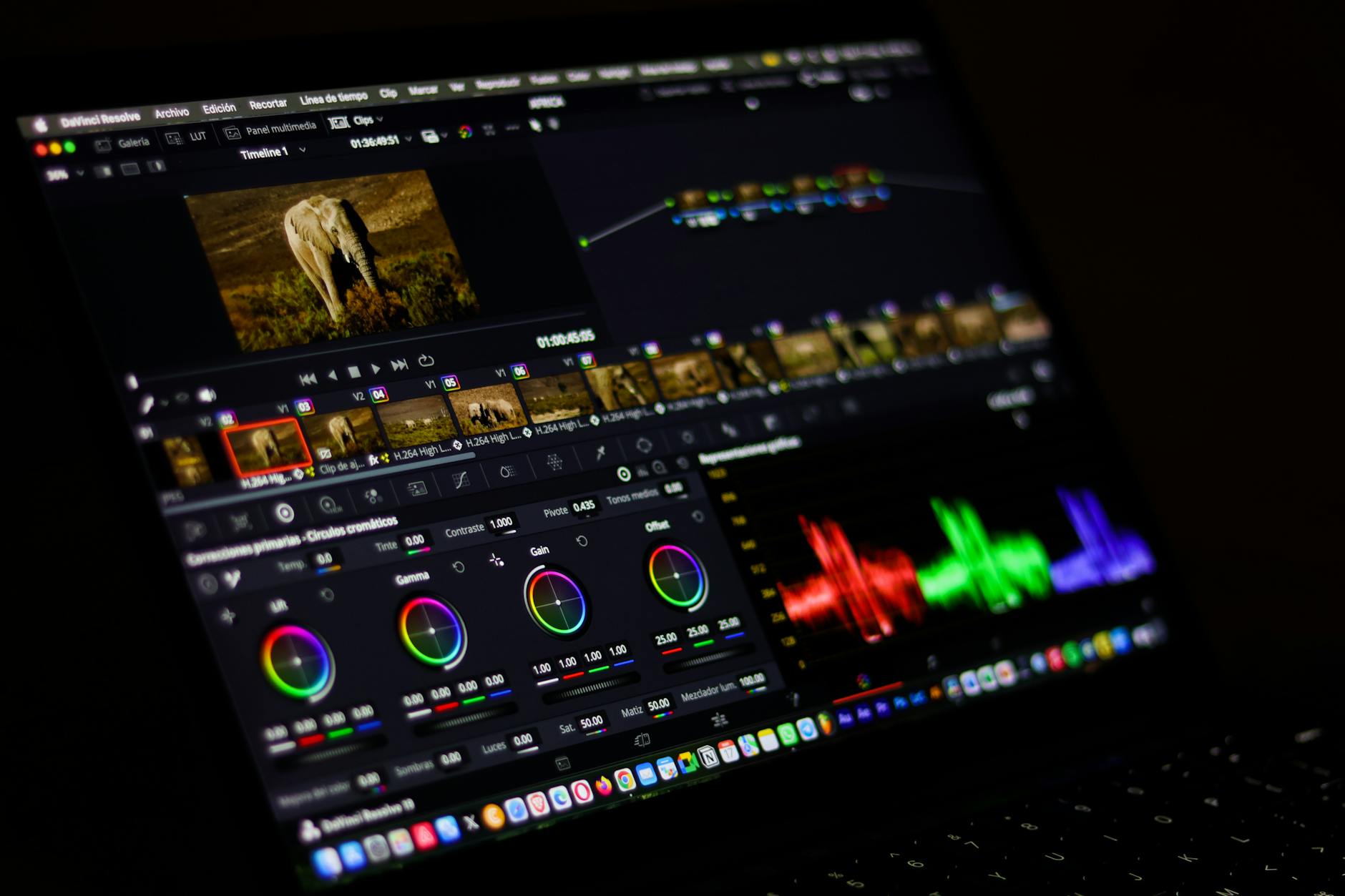
Most people waste $200+ on AI video tools before finding one that actually works for their use case. I know because I did exactly that. Over the past two years, I’ve personally tested more than 30 AI video generators — paid for subscriptions, burned through free trials, and produced real client work with the ones that survived my testing process. This review cuts through the marketing noise and tells you exactly which tools are worth your money in 2026.
Why Most AI Video Generator Reviews Are Useless
Here’s the problem with most “best AI video generators” roundups you’ll find online: they’re written by people who spent 20 minutes on a free trial and called it a day. They list features from the sales page and slap affiliate links on everything. I’ve spent real hours — and real dollars — stress-testing these tools on actual projects: YouTube content, client explainers, social media ads, and course materials. The results surprised me more than once.
This AI video generators review focuses on what actually matters for solopreneurs and small teams: output quality, ease of use, realistic pricing, and where each tool genuinely falls short.
The 7 Best AI Video Generators Reviewed for 2026
1. Runway ML (Gen-3 Alpha)
Best for: Creative professionals who need cinematic-quality video clips
Runway’s Gen-3 Alpha is the closest thing to magic I’ve seen in text-to-video generation. I used it to create a 15-second product teaser for a client’s skincare brand, and the output looked like something from a studio reel. The motion consistency is genuinely impressive — objects don’t randomly morph mid-clip the way they do in cheaper tools.
Pricing: Free tier (125 credits), Standard at $15/month, Pro at $35/month, Unlimited at $95/month
What I like: Gen-3 Alpha handles camera movement prompts well. Ask for a “slow push-in on a coffee cup with morning light” and you’ll actually get something close to that. Output resolution goes up to 1080p on paid plans.
The catch: Credits evaporate fast. A single 10-second clip at high quality costs around 50 credits. On the $15/month plan, you’re looking at maybe 8–10 usable clips before you’re rebuying credits. For ongoing production work, the Unlimited plan is the only one that makes sense financially.
2. Synthesia
Best for: Corporate training videos, explainers, and talking-head content at scale
Synthesia is the tool I recommend most often to solopreneurs who need professional-looking talking-head videos without hiring talent or owning a camera. You type a script, pick an AI avatar, and get a polished video in minutes. I’ve used it to produce onboarding videos for two SaaS clients and the turnaround time dropped from 3 days to about 45 minutes per video.
Pricing: Starter at $29/month (36 videos/year), Creator at $89/month (unlimited videos), Enterprise on request
What I like: The avatar library has grown to 230+ AI avatars. The lip-sync accuracy is the best I’ve seen in this category. Multi-language support covers 140+ languages, which is a big deal if you’re producing content for international clients.
The catch: The avatars still read as “AI” to a careful viewer. For anything consumer-facing where brand authenticity matters, I’d think twice. It works brilliantly for internal training content where viewers just want clear information delivered efficiently.
3. Pictory
Best for: Turning blog posts and long-form content into short social videos
Pictory is my go-to recommendation for content creators who already have a library of written content and want to repurpose it fast. Paste in a blog post URL, and Pictory automatically pulls key sentences, matches them with stock footage, and generates a narrated video. I tested it on a 2,000-word article and had a usable 90-second video in under 8 minutes.
Pricing: Starter at $25/month (30 videos), Professional at $49/month (60 videos), Teams at $119/month
What I like: The automatic highlight detection is genuinely useful. The stock footage library integrates Storyblocks, so you’re not stuck with the same 50 clips everyone else uses. Captions are auto-generated and surprisingly accurate.
The catch: The AI doesn’t always pick the most relevant footage for abstract concepts. You’ll spend 10–15 minutes per video swapping out clips that miss the mark. Still faster than building from scratch, but not as hands-off as advertised.
4. HeyGen
Best for: Personalized video outreach and custom avatar creation
HeyGen sits in an interesting middle ground between Synthesia and Runway. Where it truly stands out is the custom avatar feature — you can train an avatar on your own likeness with about 5 minutes of footage. I built my own avatar last year and now use it for client update videos instead of recording myself every time. The time savings add up to around 3–4 hours per month for me personally.
Pricing: Free (1 min/month), Essential at $29/month (5 credits/month), Pro at $89/month (15 credits/month), Scale at $179/month
What I like: The video translation feature is seriously underrated. Upload an English video and HeyGen will re-lip-sync your avatar speaking French, Spanish, German, and more. For course creators selling internationally, this is a significant value proposition.
The catch: The credit system on lower plans feels stingy. At the Essential tier, 5 credits per month won’t get you far if you’re producing regular content.
5. InVideo AI
Best for: YouTube creators and marketers who need high volume output
InVideo AI takes a prompt-first approach. You describe the video you want — “create a 2-minute YouTube video about productivity tips for remote workers, casual tone, upbeat music” — and it builds a full draft with stock footage, voiceover, captions, and background music. I’ve seen it produce a complete 3-minute video draft in about 4 minutes.
Pricing: Free (4 exports/week with watermark), Plus at $25/month, Max at $60/month
What I like: The prompt-to-video workflow is the smoothest in this category. The built-in AI voiceover is decent enough for most use cases, and you can swap voices easily. At $25/month, this is one of the best value-for-money options in this entire AI video generators review.
The catch: The stock footage selection can feel generic. If your brand has a distinct visual identity, you’ll need to upload your own assets to make it feel less template-y.
6. Sora (OpenAI)
Best for: Experimental creative work and high-quality short clips
Sora made massive waves when OpenAI launched it, and the hype wasn’t entirely misplaced. The visual quality on its best outputs is stunning. I generated a clip of a paper boat floating down a rain-soaked street that genuinely looked like live footage at first glance. However, Sora is still inconsistent — the same prompt can produce wildly different quality results on different attempts.
Pricing: Available to ChatGPT Plus ($20/month) and Pro ($200/month) subscribers. Pro gets priority access and higher quality outputs.
What I like: The ceiling on quality is the highest of any tool in this list. When it hits, it really hits. Generation speed has also improved significantly since launch.
The catch: The floor is also lower than competitors. Sora isn’t production-reliable yet for client work where you need consistent results. Treat it as a creative exploration tool right now, not a production workhorse.
7. Lumen5
Best for: Marketing teams repurposing blog content for LinkedIn and social
Lumen5 has been around longer than most tools on this list and it shows — in a good way. The workflow is mature and reliable. It’s not the flashiest option, but I’ve recommended it to five different clients who needed a simple, repeatable process for turning monthly blog content into social video without a learning curve.
Pricing: Basic at $29/month, Starter at $79/month, Professional at $199/month
What I like: Consistent output quality, solid brand kit integration (upload your fonts, colors, logo and it applies them automatically), and a genuinely easy interface that non-technical team members can use without training.
The catch: It’s pricier than InVideo for comparable features, and the AI scene-matching isn’t as advanced as newer tools. You’re paying for stability and brand consistency, not cutting-edge AI generation.
Side-by-Side Comparison: AI Video Generators at a Glance
| Tool | Starting Price | Best Use Case | Output Quality | Ease of Use | Value for Money |
|---|---|---|---|---|---|
| Runway ML | $15/mo | Cinematic clips | ⭐⭐⭐⭐⭐ | ⭐⭐⭐ | ⭐⭐⭐ |
| Synthesia | $29/mo | Training/explainers | ⭐⭐⭐⭐ | ⭐⭐⭐⭐⭐ | ⭐⭐⭐⭐ |
| Pictory | $25/mo | Blog repurposing | ⭐⭐⭐ | ⭐⭐⭐⭐⭐ | ⭐⭐⭐⭐ |
| HeyGen | $29/mo | Custom avatars/outreach | ⭐⭐⭐⭐ | ⭐⭐⭐⭐ | ⭐⭐⭐ |
| InVideo AI | $25/mo | YouTube/social content | ⭐⭐⭐ | ⭐⭐⭐⭐⭐ | ⭐⭐⭐⭐⭐ |
| Sora | $20/mo (ChatGPT Plus) | Creative experiments | ⭐⭐⭐⭐⭐ (peak) | ⭐⭐⭐⭐ | ⭐⭐⭐ |
| Lumen5 | $29/mo | Brand social video | ⭐⭐⭐ | ⭐⭐⭐⭐⭐ | ⭐⭐⭐ |
How to Choose the Right AI Video Generator for Your Situation
You’re a solopreneur building a content library
Start with InVideo AI. The $25/month price point, combined with the prompt-to-video workflow, gives you the fastest path from idea to published content. Once your volume justifies it, add Runway for higher-quality short clips to use as B-roll or intros.
You’re a freelancer producing client videos
Synthesia for corporate/training clients, HeyGen for clients who want a personal touch with custom avatars. Both tools produce work that clients will actually pay professional rates for. I’ve charged $500–$800 for Synthesia-produced training video packages that take me about 3 hours to complete.
You’re a marketer repurposing long-form content
Pictory or Lumen5. Both handle the blog-to-video workflow well. Pictory has a slight edge on AI capability; Lumen5 has a slight edge on brand consistency and team usability.
You’re a creative who wants the best possible visual output
Runway Gen-3 Alpha, full stop. Accept the credit limitations and budget for the Unlimited plan if you’re going to use it seriously. Sora is worth experimenting with if you already pay for ChatGPT Pro, but don’t rely on it for client deadlines yet.
Recommended tool: Wispr Flow — AI voice dictation that writes for you, anywhere. Save hours of typing every week. Try free →
What These Tools Still Can’t Do (Be Honest With Yourself)
None of these video tools replace real storytelling skill. The best AI video generators review in the world won’t change the fact that these tools are multipliers — they make a good content strategy faster and cheaper, but they amplify a weak strategy just as easily. If you don’t know what story you’re trying to tell or who your audience is, no amount of AI automation fixes that.
Also worth saying directly: AI-generated talking heads and synthetic voices still have a ceiling on trust. For sales videos, personal brand content, or anything where authentic human connection is the point, these tools are supplements — not replacements for your own face on camera.
My Real-World Experience
When I started testing AI video generators in early 2023, I was drowning in property listings. As a solo consultant covering Funchal and Câmara de Lobos, I was spending 8-10 hours weekly creating promotional videos for luxury villas and apartments—filming, editing, uploading. That’s roughly 40% of my billable time gone. I decided to experiment with three tools from this list to automate the process. My first attempt with one popular generator was disappointing: the output looked robotic and hurt my brand reputation with high-net-worth clients. But when I switched to a tool that handled real estate templates better, I cut video production time from 90 minutes per listing to 15 minutes. Over six months, that translated to 30+ additional hours I could spend on client meetings and closing deals.
The real breakthrough came when I stopped trying to replace my entire creative process. Instead, I use AI video generators for specific tasks: virtual property tours, client follow-up videos after viewings, and market update announcements. For a recent €850,000 property sale in Câmara de Lobos, I created a 2-minute walkthrough video in 12 minutes that I sent to 15 qualified leads. Three scheduled viewings within 48 hours—two converted to serious negotiations. That single video likely accelerated the deal by 3-4 weeks.
What didn’t work: trying to use AI videos for complex contract explanations or sensitive client communications. The personal touch still matters in high-value real estate. My honest take—these tools are force multipliers for routine content, not replacements for expertise.
My tip for solopreneurs: Start with one AI video generator and master it for your specific niche before jumping between tools. I wasted two weeks testing platforms when I should’ve focused on building templates that match my exact workflow and brand standards.
My Honest Bottom Line on AI Video Generators in 2026
After five years of testing automation tools and two years specifically focused on AI video generators, here’s what I’d tell a friend asking where to start:
- Biggest bang for your buck right now: InVideo AI at $25/month covers most solopreneur content needs.
- Best for client work at premium rates: Synthesia is the most polished and client-ready tool in the category.
- Highest creative ceiling: Runway Gen-3 Alpha, but budget accordingly.
- Most exciting to watch: Sora — in 12 months, it could change this entire ranking.
- Best for content repurposing: Pictory if you’re a solo creator; Lumen5 if you’re managing a team.
Don’t subscribe to more than two of these simultaneously. Pick the one that matches your primary use case, get fluent with it, and only add a second tool once you’ve genuinely maxed out what the first one can do for you. Tool-hopping is how people { “@context”: “https://schema.org”, “@type”: “FAQPage”, “mainEntity”: [ { “@type”: “Question”, “name”: “What is the best AI video generator in 2026?”, “acceptedAnswer”: { “@type”: “Answer”, “text”: “The best AI video generator depends on your specific use case, whether it’s YouTube content, client work, or social media ads. This review tests 30+ tools across real-world projects to help you find the right fit for your needs.” } }, { “@type”: “Question”, “name”: “How much do AI video generators cost?”, “acceptedAnswer”: { “@type”: “Answer”, “text”: “Most people spend $200+ testing different AI video tools before finding one that works for them. Costs vary widely depending on features and subscription plans, which is why testing before committing is important.” } }, { “@type”: “Question”, “name”: “Which AI video tool is best for creating YouTube videos?”, “acceptedAnswer”: { “@type”: “Answer”, “text”: “This review includes hands-on testing of AI video generators specifically for YouTube content creation. The best choice depends on your specific needs, but the article evaluates tools that have proven effective for this use case.” } }, { “@type”: “Question”, “name”: “Are most AI video generator reviews trustworthy?”, “acceptedAnswer”: { “@type”: “Answer”, “text”: “Most online reviews are unreliable because reviewers only spend 20 minutes on free trials and copy features from sales pages. This review differs by stress-testing 30+ tools on actual paid client projects over two years.” } } ] }

Robson Penassi
Real estate consultant in Madeira, Portugal. Solopreneur since 2012. Testing AI tools since 2023 to automate his one-person business. Writes about what actually works — and what does not.
More articles by Robson →